
As part of the Building a Second Brain course from Tiago Forte, he recommended a web highlighting app called Liner. I’m really enjoying this tool. As I read web articles, I can highlight and annotate it and all that markup for the page gets saved into Liner. I can then export them into Evernote with a single click at my convenience.
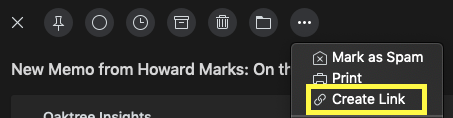
What I’ve been playing with today is the “Create Link” feature of Spark—a great Mac email client. I receive a bunch of fantastic email newsletters each week and I struggle to get through them all. Now, when I see something interesting I’d like to hold on to—a quote or concept— I just click “Create Link,” pop over to my browser and insert the URL (it’s automatically added to your clipboard when you create it), and then use the Liner browser plugins to highlight or annotate the passages that are interesting to me. Voila! A nice little hack for getting bits of your email when you need it.
 Eric Frankl.in